Example notebook
This notebook serves as a proof of principle for marimo-md-export.
You can view the original notebook at examples/notebook.py.
The command used to convert it to a docs page is the just docs command in justfile.
import marimo as mo
import matplotlib.pyplot as plt
import numpy as np
import pandas as pd
import sys
Figures
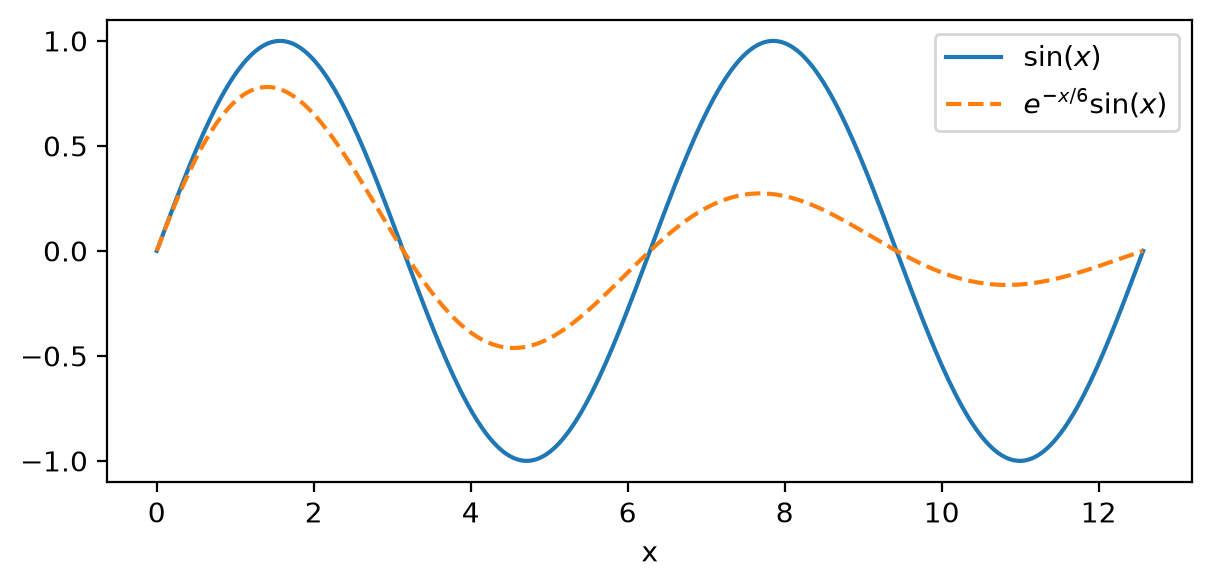
By default, figures are written to the output's assets directory as image files.
Pass --self-contained to embed them directly in the markdown as base64 data URIs.
x = np.linspace(0, 4 * np.pi, 300)
fig, ax = plt.subplots(figsize=(7, 3))
ax.plot(x, np.sin(x), label=r"$\sin(x)$")
ax.plot(x, np.exp(-x / 6) * np.sin(x), label=r"$e^{-x/6}\sin(x)$", ls="--")
ax.set_xlabel("x")
ax.legend()
fig
Tables
df = pd.DataFrame(
    {
        "Quantity": ["Mean", "Variance", "Skewness"],
        "sin(x)": [0.0, 0.5, 0.0],
        "damped": [
            round(float(np.mean(np.exp(-x / 6) * np.sin(x))), 4),
            round(float(np.var(np.exp(-x / 6) * np.sin(x))), 4),
            None,
        ],
    }
)
df
| Quantity | sin(x) | damped |
|---|---|---|
| Mean | 0.0 | 0.0677 |
| Variance | 0.5 | 0.1094 |
| Skewness | 0.0 | NaN |
Console output
print(f"Number of points: {len(x)}")
print(f"x range: [{x[0]:.4f}, {x[-1]:.4f}]")
print(f"Mean of sin(x): {np.mean(np.sin(x)):.6f}")
Number of points: 300
x range: [0.0000, 12.5664]
Mean of sin(x): -0.000000
String output
Returning a string from a cell preserves escape sequences like as actual
newlines in the exported markdown.
Line one
Line two
Line three
Dynamic markdown
mo.md() with f-strings embeds computed values into rendered markdown.
This is distinct from plain print() or returning a string — the output
is styled as markdown (bold, italics, headers) rather than preformatted
text.
pi_hat = 4 * np.sum(1 / (1 + ((np.arange(1, 10001) - 0.5) / 10000) ** 2)) / 10000
mo.md(
    f"Estimate: **{pi_hat:.10f}**  \n"
    f"True π:   **{np.pi:.10f}**  \n"
    f"Error:    {abs(pi_hat - np.pi):.2e}"
)
Estimate: 3.1415926544
True π: 3.1415926536
Error: 8.33e-10
This also works inside fenced code blocks. For example,
becomes
LaTeX math survives interpolation as ordinary $...$ and $$...$$.
Note that LaTeX braces must be doubled inside an f-string, since a single
{...} is interpolation syntax.
mo.md(rf"""
The samples span $x \in [{x.min():.0f}, {x.max():.0f}]$, over which

$$
\int_{{{x.min():.0f}}}^{{{x.max():.0f}}} \sin(t) \, dt
  = \cos({x.min():.0f}) - \cos({x.max():.0f})
$$
""")
The samples span \(x \in [0, 13]\), over which
JSON outputs
Returning a dict or list from a cell produces a Python-style formatted output
using pprint.
{'amplitude': 1.0, 'decay_rate': 0.167, 'name': 'damped sinusoid'}
[0.0, 0.042, 0.0841, 0.1261, 0.1681]
{
    "experiment": "damped sinusoid",
    "parameters": {
        "amplitude": 1.0,
        "decay_rate": 0.167,
        "frequency": 1.0,
    },
    "results": {
        "samples": 300,
        "range": [0.0, 12.5664],
        "statistics": {
            "mean": 0.0,
            "variance": 0.5,
            "converged": True,
        },
    },
    "tags": ["oscillation", "damping", "physics"],
}
{'experiment': 'damped sinusoid',
 'parameters': {'amplitude': 1.0, 'decay_rate': 0.167, 'frequency': 1.0},
 'results': {'range': [0.0, 12.5664],
             'samples': 300,
             'statistics': {'converged': True, 'mean': 0.0, 'variance': 0.5}},
 'tags': ['oscillation', 'damping', 'physics']}
Errors
Cells that raise exceptions produce error output with traceback.
Traceback (most recent call last):
  File "/tmp/marimo_3057/__marimo__cell_ulZA_.py", line 1, in
    raise ValueError("This cell demonstrates error output handling")
ValueError: This cell demonstrates error output handling
exception: This cell demonstrates error output handling
Output written to sys.stderr is captured separately from stdout.
Warning: computing over 300 points
35
SVG graphics
Inline SVG rendered via mo.Html.
mo.Html("""<svg xmlns="http://www.w3.org/2000/svg" width="200" height="100" viewBox="0 0 200 100">
<rect x="5" y="5" width="190" height="90" fill="#4a9eff" rx="10"/>
<text x="100" y="55" text-anchor="middle" fill="white" font-size="14">SVG Image</text>
</svg>""")
Graphviz graphs
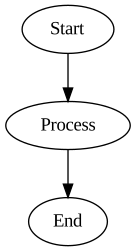
Graphs created with the graphviz package render as SVG and display
correctly in the exported markdown.
from graphviz import Digraph

dot = Digraph()
dot.node("A", "Start")
dot.node("B", "Process")
dot.node("C", "End")
dot.edges(["AB", "BC"])
dot
Mermaid diagrams
Mermaid code fences inside mo.md() cells pass through to the exported
markdown and render on platforms with mermaid support (GitHub, MkDocs with
pymdownx, etc.).
graph TD
    A[Start] --> B[Process]
B --> C[End]Admonitions
Marimo admonitions using the /// type | title syntax are automatically
converted to MkDocs/Zensical-compatible !!! type "title" format during
export.
!!! note "Important Information"
    This is a note admonition. It supports **bold**, *italic*, and other
    markdown formatting inside the block.
Important Information
This is a note admonition. It supports bold, italic, and other markdown formatting inside the block.
Tip
Admonitions without a title also work — the title is simply omitted.
Layout helpers
A bare mo.md() call exports as plain markdown, but nesting it inside a
layout helper such as mo.hstack makes the layout the cell's output.
That is injected as HTML, and any math inside it is wrapped in
<marimo-tex> tags with ||(/||) delimiters rather than $...$.
It renders correctly if those delimiters are registered with your math
renderer, but the markdown source is no longer readable on its own — so
prefer a bare mo.md() call where you can.
mo.hstack(
    [
        mo.md(r"""Euler: $e^{i\pi} + 1 = 0$"""),
        mo.md(r"""Gauss: $\int_{-\infty}^{\infty} e^{-t^2} dt = \sqrt{\pi}$"""),
    ],
    justify="start",
    gap=2,
)
Multiple outputs
A cell with both console output and an expression result.
Computing statistics for 300 points...
np.float64(-2.3684757858670008e-17)
Long line outputs
This cell produces output with very long lines to demonstrate overflow wrapping.
print(
    "A very long line that exceeds the typical container width, stretching well beyond what fits on a single line. In this case the text should scroll, not wrap! "
)
A very long line that exceeds the typical container width, stretching well beyond what fits on a single line. In this case the text should scroll, not wrap!
You can pass --overflow scroll to the CLI to switch the global behaviour from wrapping to scrolling.
Note, however, that JSON outputs (lists, dicts, tuples) won't be affected by this.
You can also control overflow on a per-cell basis.
Add # @scroll to a cell to force horizontal scrolling for its output, regardless of the global --overflow setting.
# @scroll
print(
    "A very long line that exceeds the typical container width, stretching well beyond what fits on a single line. In this case the text should scroll, not wrap! "
)
A very long line that exceeds the typical container width, stretching well beyond what fits on a single line. In this case the text should scroll, not wrap!
Hiding code
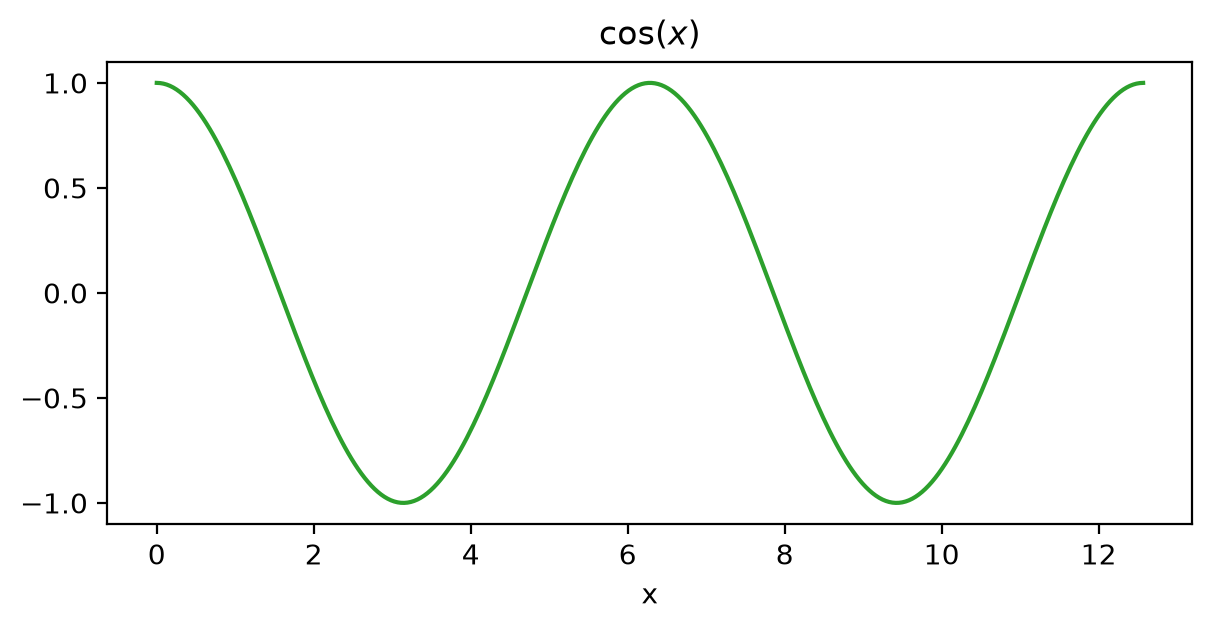
Marking a cell with @app.cell(hide_code=True) (as the marimo editor does when you hide a cell's code) omits its code block from the export while still rendering its output.
The cell below is annotated with hide_code=True, so only its output — a figure — appears:
Suppressing outputs
Adding # @suppress to a cell prevents its output from appearing in the exported markdown. The cell itself will still appear.